Deploy a Beego app
Beego is used for rapid development of enterprise application in Go, including RESTful APIs, web apps and backend services. Check out their official documentation here
Deploy a Beego App
Deployment Instructions
In this tutorial, we advice creating a Dockerfile and using Docker as the build system
-
Fork/Clone this Hostless-Beego-Example repo from github
-
Click on 'Create New App'
-
Choose a suitable app name
-
Choose your github account
-
Choose the forked github repo/the cloned remote repo
-
Choose a build system
- 'Detect automatically with Nixpicks' - automatically detects the programming language and builds the app
- 'Docker' - looks for a Dockerfile in the root of the project and build based on the instructions
-
Input a start command(optional)
-
The PORT environment variable is set by Hostless
Sample configuration
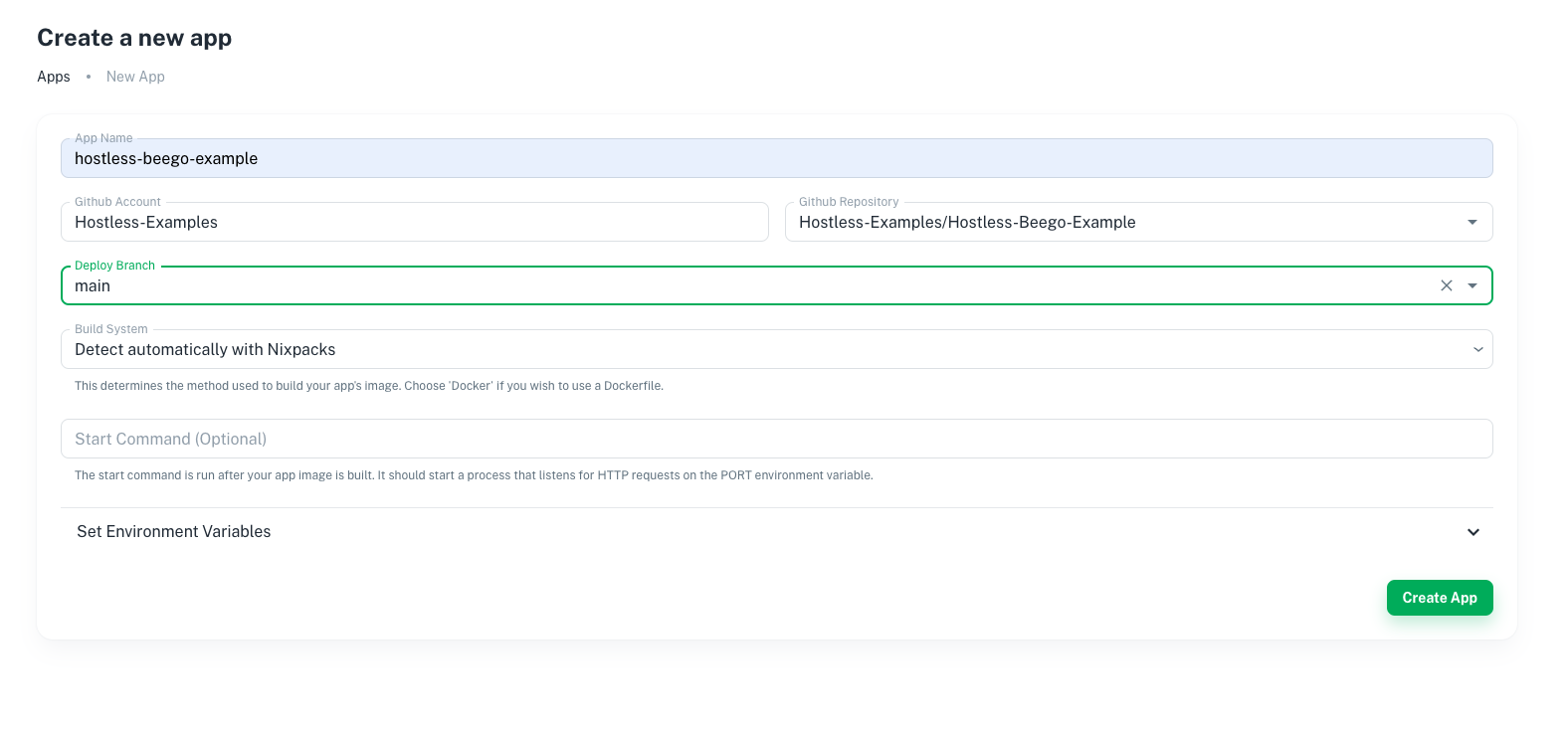
Example project
An example project is hosted on https://hostless-beego-example.hostless.app/